- Go to https://make.powerpages.microsoft.com
- There are basically 2 types of ways you can start creating a site.
- Start with template
- Start from blank
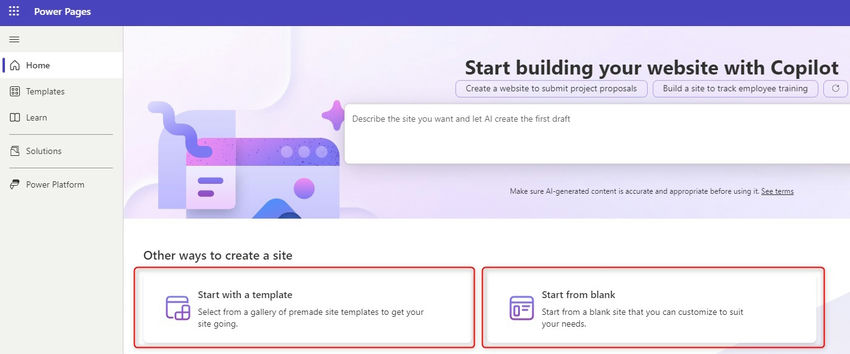
- for this learning, we are starting with a blank.
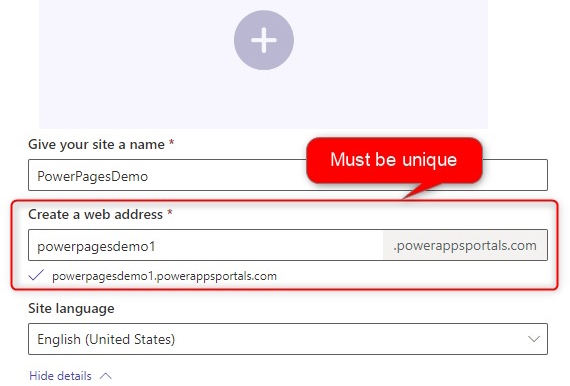
- Fill in the details described in the below screenshot. Please note web address must be unique.

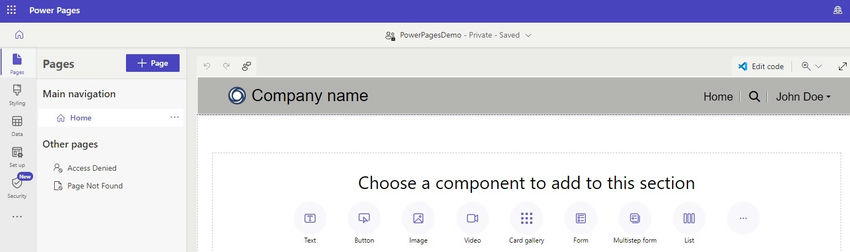
- It will take some time to generate the site. you can see the first Home page below.

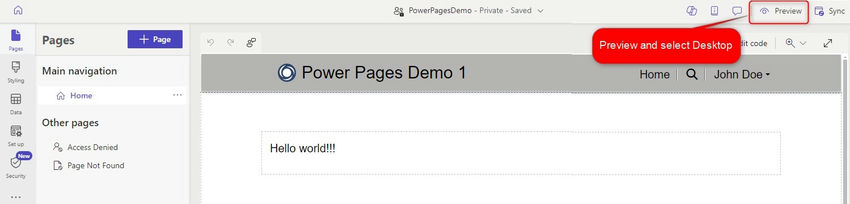
- You can update the page according to your test. I updated the header text and added simple text then clicked on Preview which Launched the preview.

- Below is the preview for my first page.

- We are all set with our first page with Power Pages. Thanks!
Comments